

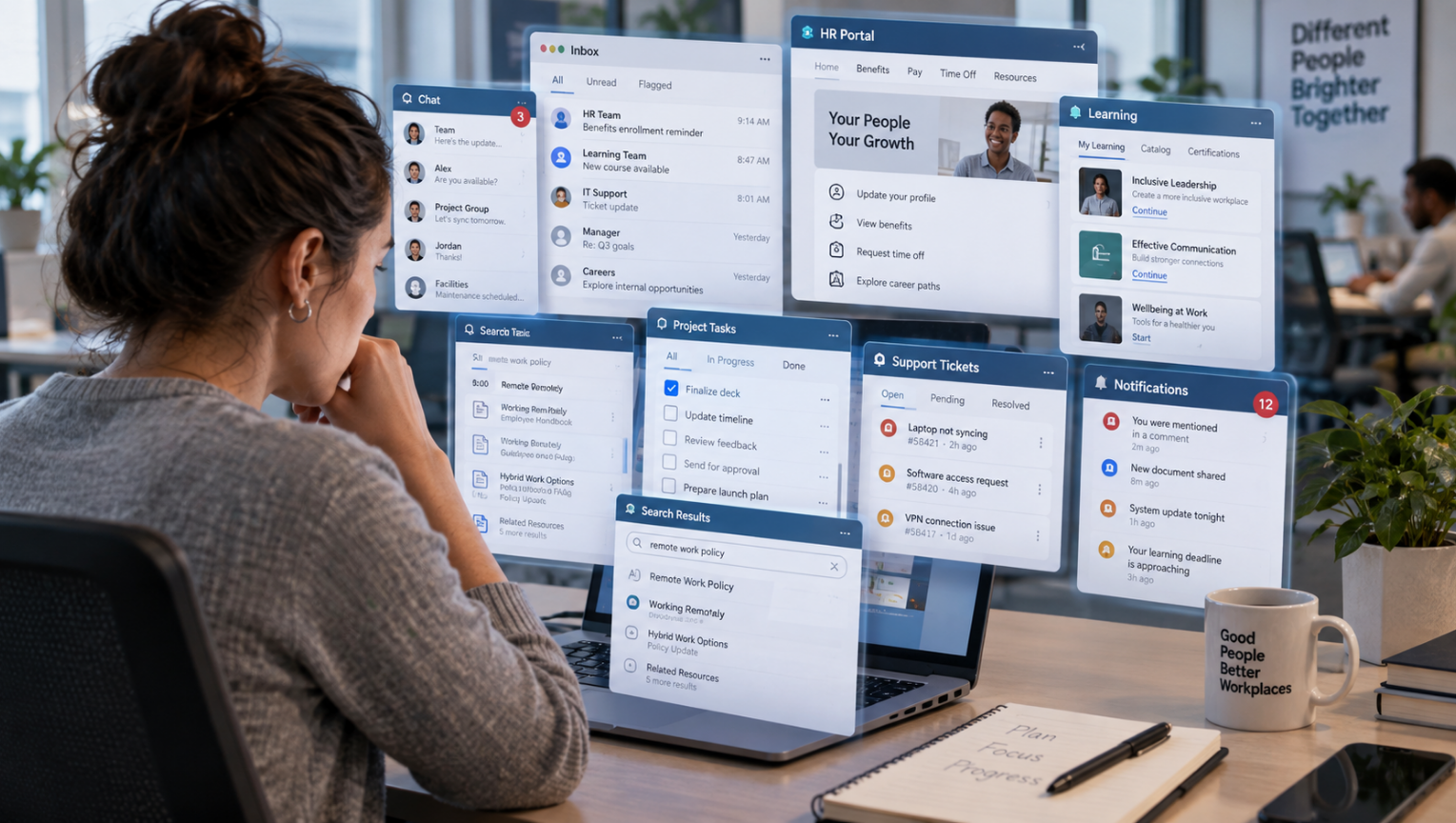
The digital employee experience has become a defining part of work in 2026. Employees may start the day in Microsoft Teams or Slack, move into a project management platform, open an HR portal, complete training in a learning system, submit an expense through another application, search an intranet for a policy, answer email and then use a separate service desk when something goes wrong. Each tool may have a legitimate purpose. Together, they can create a workplace where employees spend too much time navigating work instead of doing it.
A larger technology stack doesn’t automatically create a better employee experience. The real measure is whether technology helps employees complete tasks, find information, learn, communicate and get support with less effort. Research suggests many organizations have not reached that point yet.
Okta’s Businesses at Work 2025 report found that the average number of applications deployed by its customer organizations reached 101, up 9% year over year. This does not mean an individual employee personally uses 101 applications, but it illustrates how large the workplace technology environment has become.
For HR leaders, the challenge in 2026 is no longer simply providing digital access. It is designing an environment employees can actually navigate.
What Is Digital Employee Experience in 2026?
Digital employee experience, often called DEX, is the experience employees have while interacting with the technology, systems and digital processes they need to do their jobs.
Computerworld’s overview of DEX also examines how employees experience the growing number of digital tools and services they rely on throughout the workday.
That includes more than whether a laptop works or an application loads quickly. It can include:
- logging into workplace systems
- searching for policies, documents or people
- completing HR transactions
- accessing benefits information
- taking required or voluntary training
- receiving company communications
- collaborating with colleagues
- requesting IT or HR support
- completing approvals and administrative tasks
- moving information between systems
- learning how to use new technologies
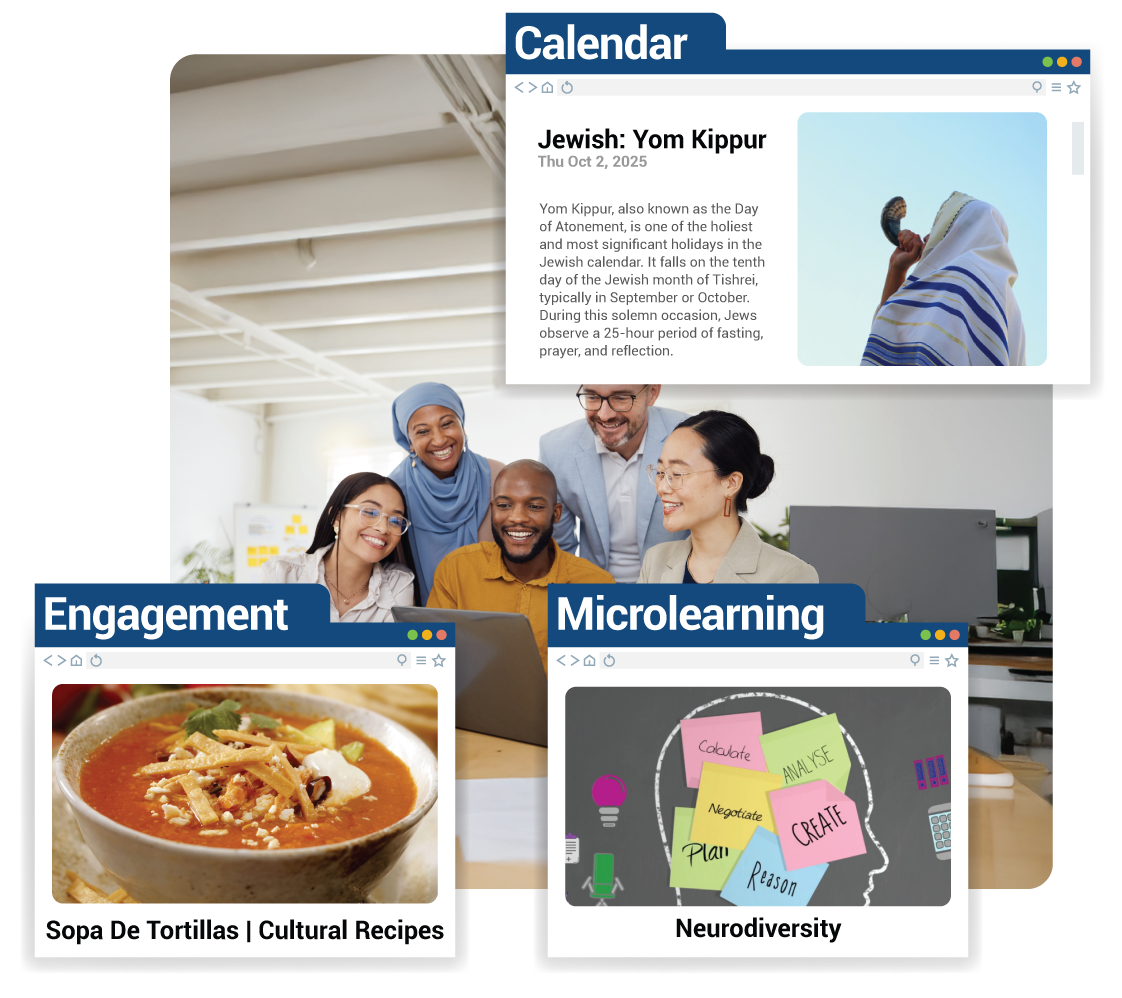
Qualtrics describes digital employee experience as the quality of employees’ interactions with workplace technology, including the performance and reliability of tools as well as the support employees receive when those tools fail or change.
This broader definition is important because an application can perform exactly as designed and still contribute to a poor experience.
Imagine an employee who wants to check the company’s parental leave policy. The HR system works. The intranet works. The employee communication platform works. The document repository works.
The problem is that the employee doesn’t know which one contains the current policy. From an IT perspective, nothing is broken. From the employee’s perspective, the system has already failed.
Why Digital Employee Experience Is Becoming More Complicated
Workplace technology has expanded because organizations are solving real problems. Specialized tools can improve recruitment, learning, payroll, performance management, collaboration, recognition, communication, benefits, scheduling and employee support. The problem begins when every problem produces another destination.
An employee might receive a company announcement through one platform, discuss it in another, complete related training somewhere else and submit questions through a fourth system. Information may be duplicated across portals or, worse, slightly different versions may exist in several places.
The result is digital friction, the unnecessary effort employees experience every time they have to search, switch, sign in, repeat information or figure out which system to use.
Individually, these moments can look insignificant. Across an organization, they accumulate.
Microsoft’s research into the modern workday found that employees using Microsoft 365 were interrupted, on average, every two minutes during core working hours by meetings, emails or notifications. In its global Work Trend Index research, 48% of employees said their work felt chaotic and fragmented.
That fragmentation becomes more significant when employees also need to move between multiple workplace applications.
A Morning Consult study commissioned by Zoom surveyed 7,969 full-time knowledge workers across 16 countries. Among employees using more than 10 apps, 42% said they needed at least 15 minutes to refocus after switching tasks. Fifty-four percent reported communication misunderstandings, compared with 34% among employees using fewer than five applications.
The issue is the amount of mental effort required to move between them.
Digital Employee Experience Can Turn Productivity Tools Into Busywork
One of the easiest mistakes organizations make is measuring technology by adoption. Employees logged in. Training completion increased. Portal traffic went up. A new HR platform launched successfully.
Those measures say little about whether work became easier. A better question is: How much employee effort does this technology remove, and how much new effort does it create?
Deloitte’s 2025 Global Human Capital Trends research found that workers believed 41% of their daily work was spent on activities that did not add value. Only 22% of survey respondents said their organizations were highly effective at simplifying work.
Technology can contribute to that problem when employees are required to maintain dashboards, update multiple systems, respond to several communication channels or perform administrative steps simply because different platforms do not share information.
Consider two versions of the same employee task.
Poor digital experience: An employee wants professional development support. They search the intranet for the learning portal, sign into another system, browse an unfamiliar course catalogue, return to the intranet to find the reimbursement policy, download a form and email a manager for approval.
Good digital experience: The employee searches one workplace entry point for “leadership training.” Relevant courses, the development policy, available funding and the approval process appear together. The employee can start the request without needing to understand which back-end systems are involved.
Both organizations may own the same number of technologies. Only one has designed the experience around the employee.
Tool Overload Has Consequences Beyond Productivity
Poor digital experiences do not only cost minutes. They can change how employees feel about work and how they behave when official tools become difficult to use.
Ivanti’s 2025 Digital Employee Experience research found that 65% of office workers said negative experiences with workplace tools and applications affected their mood and morale. The same research found that 74% of IT teams saw evidence of overlapping or redundant technology in their infrastructure, yet tool consolidation was not a high priority for 63%.
Employees sometimes solve that friction themselves. Ivanti found that 27% of office workers regularly used unauthorized applications or tools because they were frustrated with employer-provided technology. That creates a difficult cycle.
A cumbersome employee experience encourages workarounds. Workarounds create security, privacy and information-governance risks. Organizations respond by adding more controls. Those controls may increase friction further.
Reducing digital friction can support both employee experience and responsible technology use.
What Makes a Good Digital Employee Experience?
A good digital employee experience isn’t defined by having the fewest applications possible. Some roles genuinely require specialized technology. The goal is to make the complexity behind work less visible to the employee.
Employees shouldn’t need a mental map of the organization’s technology architecture to complete a routine task. Several design principles can help.
Give Employees a Clear Starting Point
Employees need to know where work begins. A well-designed intranet, employee hub or workplace search experience can act as a front door to HR information, learning, communications, benefits and support.
That doesn’t require moving every function into a single application. It requires giving employees a predictable way to find what they need.
Organize Around Employee Needs, Not Departmental Ownership
Employees rarely think, “This is an HRIS question” or “I need the knowledge-management platform.”
They think:
- “How many vacation days do I have?”
- “Where is the expense policy?”
- “How do I change my benefits?”
- “I need help with my laptop.”
- “I want to learn Excel.”
Digital experiences should reflect those questions. The organizational structure behind the service should not become an employee navigation problem.
Reduce Duplicate Destinations
HR and IT teams should regularly identify systems that perform similar functions. If employees receive announcements through email, Teams, an intranet, a mobile app and another employee communication platform, more channels may actually make information harder to trust.
The question is whether the combined environment still makes sense.
Make Search Useful
Employees shouldn’t need to remember where information lives. Strong enterprise search can reduce dependence on folder structures, platform knowledge and institutional memory.
Search results should also identify authoritative information clearly. If four documents appear for the same policy, employees should immediately know which version is current.
Connect Learning to the Work
Learning platforms often become isolated libraries that employees visit only when training is mandatory. A better experience brings learning closer to the moment of need.
Someone managing a difficult conversation might receive a relevant five-minute learning resource within a manager portal. An employee using a new system could access guidance directly from that workflow instead of searching an unrelated learning catalogue. Access to learning matters. Ease of finding the right learning matters just as much.
Provide Support Without Creating Another Maze
Self-service can be valuable, but only if it actually saves effort. Ivanti reported that 49% of workers preferred solving IT problems themselves rather than contacting the help desk, yet only 13% said doing so was very easy.
Good self-service gives employees a fast answer and an obvious path to a person when the answer does not solve the problem.
A chatbot that repeatedly sends employees through irrelevant articles isn’t self-service. It’s a barrier between the employee and support.
HR and IT Need to Design the Digital Employee Experience Together
Digital employee experience sits across organizational boundaries. IT may manage identity, devices, applications and technical performance. HR may manage employee processes, learning and workforce systems. Communications may own the intranet. Business units may introduce their own applications.
Employees experience all of them as one workplace. That makes fragmented ownership a major design problem.
HR should understand where employees encounter unnecessary steps, while IT should understand where technical architecture creates those steps. Internal communications can help simplify how information reaches employees. Learning teams can identify where employees require support during technology changes. The employee shouldn’t have to compensate for gaps between those functions. This is becoming even more important as AI enters the workplace.
Microsoft’s 2026 Work Trend Index, based on a survey of 20,000 workers using AI across 10 countries alongside Microsoft 365 productivity signals, emphasizes that organizational conditions have a major influence on whether employees can turn new technology into useful work.
AI assistants and agents could reduce searching, administrative work and application switching. They could also become another layer employees have to learn, monitor and manage.
The design question remains the same: Does the technology remove work, or does it create another place where work has to happen?
How Can HR Reduce Tool Overload?
HR teams don’t need to eliminate every specialized platform. They need stronger rules for introducing and maintaining them.
Before adding another employee-facing tool, ask: What employee problem does this solve?
Then ask a harder question: Can an existing system solve it well enough without creating another destination?
Organizations can also conduct a digital journey audit. Choose common employee activities such as onboarding, requesting leave, finding a policy, taking training or contacting HR support. Follow every click, login, application switch and approval required to complete the task.
This same problem appears at the team level. As we explored in our article on HR efficiency, separate tools for planning, communication and tracking can create friction and leave people spending more time managing systems than doing meaningful work. This type of audit can expose friction that platform-level analytics miss.
HR teams should also measure more than adoption. Useful digital employee experience measures can include:
- time required to complete common employee tasks
- number of systems involved in a process
- failed searches
- repeated support requests
- application switching
- employee satisfaction with specific digital journeys
- use of unofficial workarounds
- duplicated or unused technology
- ability to resolve issues through self-service
- employee confidence after new technology launches
Nexthink’s 2025 workplace productivity analysis, based on data from millions of endpoints across hundreds of organizations, found that the average employee experienced 14 negative digital experiences per week, including application glitches, crashes and slow load times.
Technical performance matters, but HR should combine those signals with employee feedback. A system can load quickly and still be confusing.
Fewer Tools Isn’t the Real Goal
It is tempting to reduce the digital employee experience conversation to “too many apps.” That’s too simple. Five disconnected, badly designed systems can create more friction than 15 well-connected tools. Employees care less about the technical structure of the workplace than the effort required to navigate it.
A strong digital environment can still include specialized learning platforms, communication tools, HR systems and employee-support technology. What changes is the experience around them:
- Employees have a clear starting point
- Search works
- Information is trustworthy
- Authentication is simple
- Processes don’t repeatedly ask for information the organization already has
- Learning appears near the work
- Support is easy to reach
- New tools replace or simplify existing work rather than quietly adding another task
Those are experience decisions, not software features.
The Digital Employee Experience Test for 2026
Before introducing another workplace platform, HR leaders can apply a simple test: Will employees need to learn the technology, or will the technology help employees do what they already came to do?
Some learning will always be required. Workplaces change, new capabilities emerge and specialized roles need specialized systems. The warning sign is when navigating workplace technology starts becoming a job of its own.
Organizations have spent years building increasingly sophisticated digital workplaces. The next phase is not about giving employees access to more technology. It is about removing the effort created by the technology already there.
The strongest digital employee experience in 2026 will not necessarily belong to the organization with the most advanced platform, the largest technology stack or the newest AI tools. It will belong to organizations that make learning, communication, resources and support easier to reach while allowing employees to spend more of their attention on the work they were hired to do.