Facebook Pixel

Diversity Calendar Implementation

Your employees are diverse, which extends to their ways of working, learning, and more. Some are at their desks, while others are on their feet or out of the office. Some are text-based learners, while others prefer visual tools.

Not every employee will see every communication from you. That’s why promoting your Diversity Calendar and inclusion events through various channels is essential. It’s not important how they find out it’s Ramadan; it’s important that they find out somehow.

Thus, we offer many different ways to deploy and implement your Diversity Calendar.

Have questions or need support?
Diversity Calendar Outlook

3 Implementation Channels for the Diversity Calendar

The Diversity Calendar has three main channels for implementation: a variety of web options, adding to your primary calendar, and a selection of graphical tools. All are included in your subscription, so we encourage you to use them all so that every employee learns about every essential event.

1. Web

Your web-based calendar is an essential facet of implementation. That’s because only the web-based Diversity Calendar includes learning resources such as language translation, DEIB tips, dietary considerations, audio pronunciations, recipes, and more.

Your employees do not need to sign up or log in to your Diversity Calendar.

Diversity Calendar Integration

Here’s how to implement it:

a) Share Your Diversity Calendar Link: Your web-based calendar consists of a URL + user key unique to your organization. Click the link to access the calendar. Share it with employees and ask them to bookmark it.

b) Embed in SharePoint or Other Intranet: We provide an iFrame code to embed your calendar in SharePoint or other intranet easily. We also provide a widget generator, which offers you a variety of Diversity Calendar widgets in different shapes and sizes to adorn your SharePoint or intranet further.

c) Add to Microsoft Teams and Viva Engage

d) Bookmark It: Encourage your team to bookmark the calendar for easy and quick access. Instructions on how to bookmark the calendar for different browsers are available on the calendar; click the ribbon icon at the top right-hand corner.

e) Other Integrations: The Diversity Calendar has been successfully integrated with various platforms, from Confluence to Yammer and more! Integration support is included free with your subscription.

2. Add to Calendar (Outlook, Google, etc.)

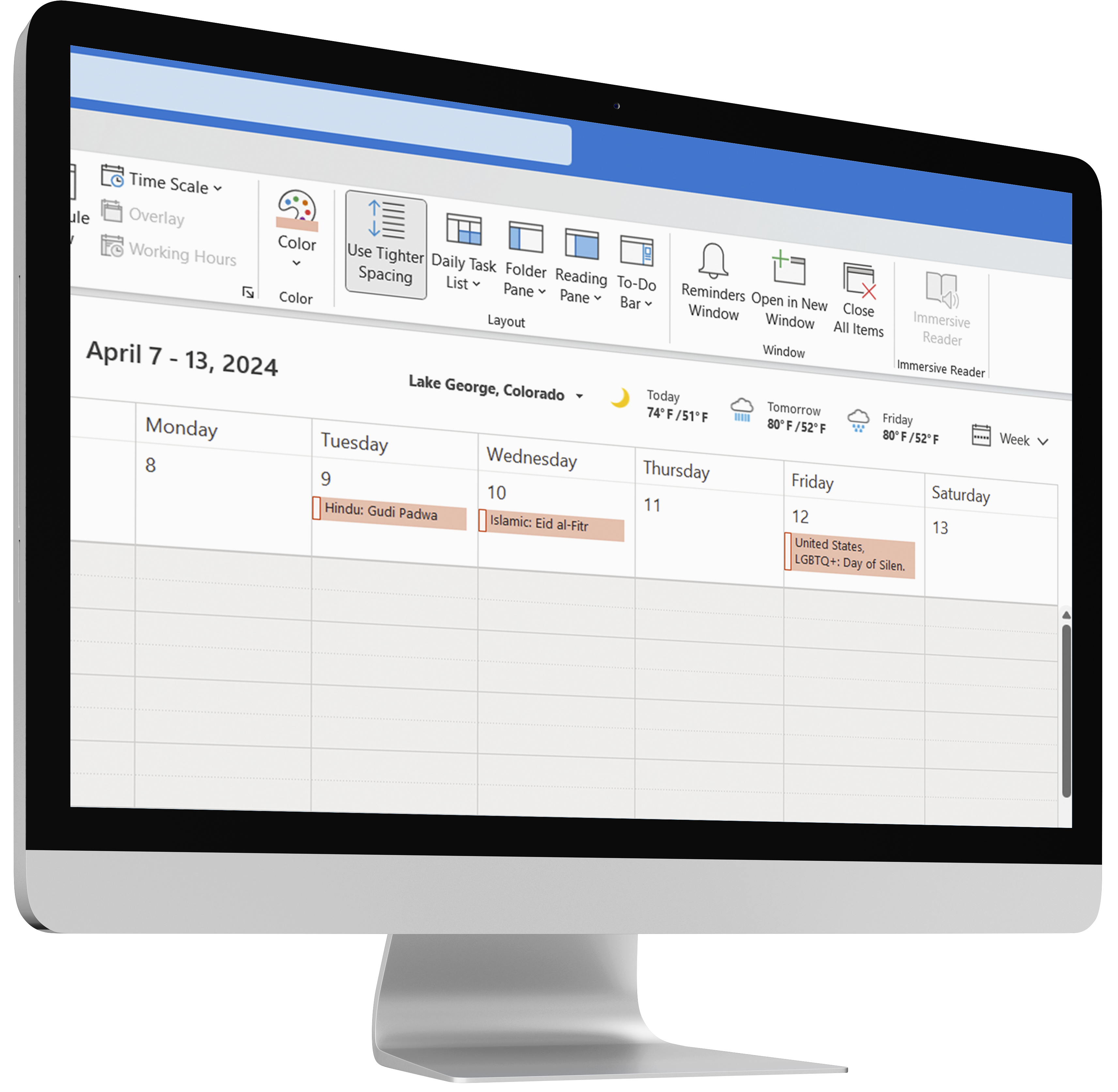
Your diversity events can be added to Outlook calendar, Google calendar, Apple calendar, and other calendar systems.

The calendar can be added by individual employees or company-wide. Company-wide implementation requires a one-time setup by your IT department; we provide instructions and support to your IT department.

Calendar events appear at the top of the calendar day and do not interfere with scheduling. Event descriptions and other information will also appear in your Outlook or Google calendar.

Your Diversity Calendar is integrated with a live ICS feed. Thus, your Outlook or Google will automatically update when you add or remove events from your web-based Diversity Calendar.

Diversity Calendar Outlook

3. Graphical Tools

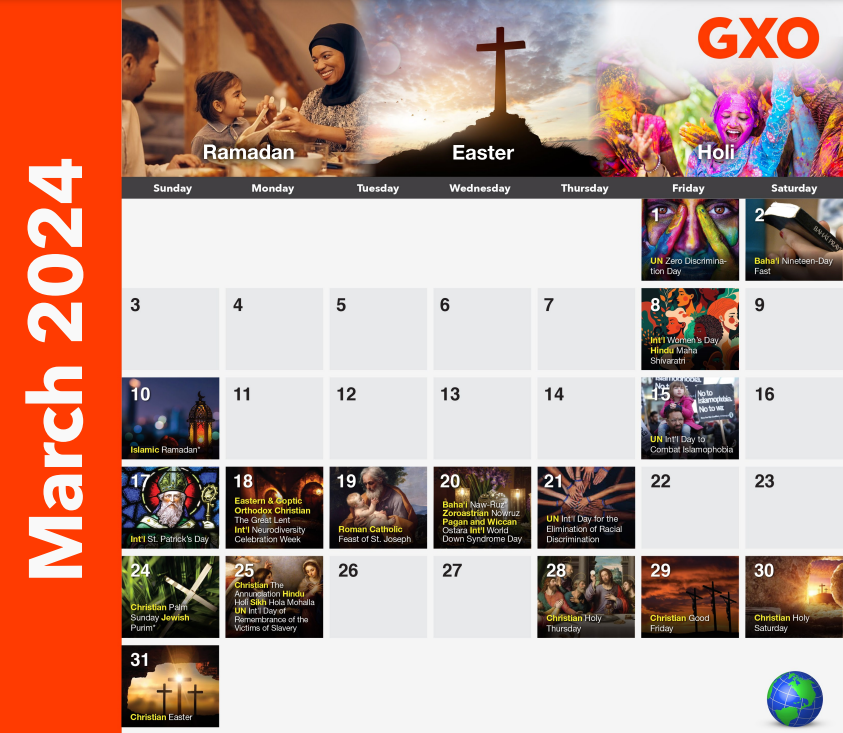
a) Month-at-a-Glance PDF: Our beautiful monthly PDFs can be enjoyed on a desktop or on a screensaver or printed out. Your subscription includes a license to make unlimited copies for your in-house use.

b) Email Signature: At the beginning of each month, add the Diversity Calendar signature banner to your email signature. This will create awareness and inclusion with every email you send.

c) QR Code: Your employees can scan the QR code to add your Diversity Calendar to their mobile browser easily.

Have questions or need support? Contact us.

Diversity Calendar Custom PDFs

Sign In

Sign in to Diversity Resources