

Boost your engagement and stay updated with all upcoming events by setting the Diversity Calendar as your homepage. Follow these simple steps:
1. Open Chrome on your computer
2. Click the three dots  in the top right corner of the browser
3. Select Settings from the dropdown menu
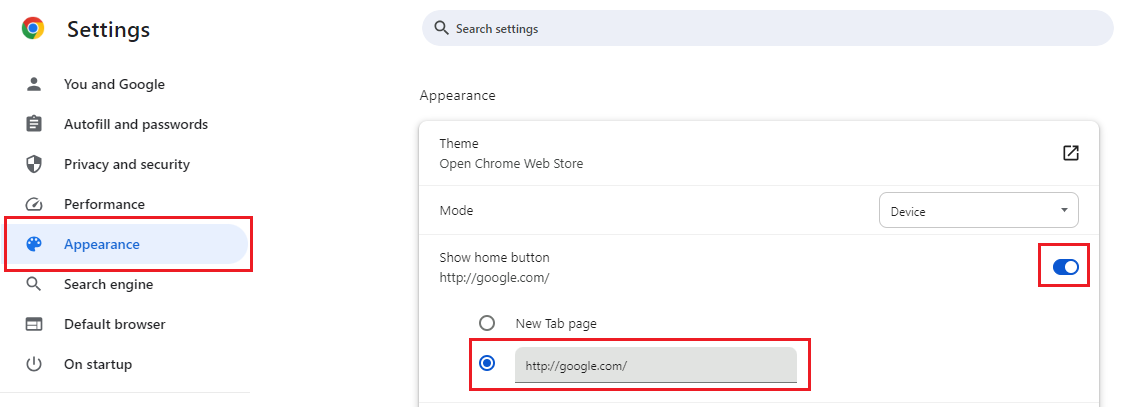
4. Scroll down to the Appearance section
5. Make sure the “Show home button” is toggled on
6. Under “Show Home button,” choose the custom page option
7. Paste your Diversity Calendar URL into the provided field
Your Diversity Calendar is now set as your homepage!