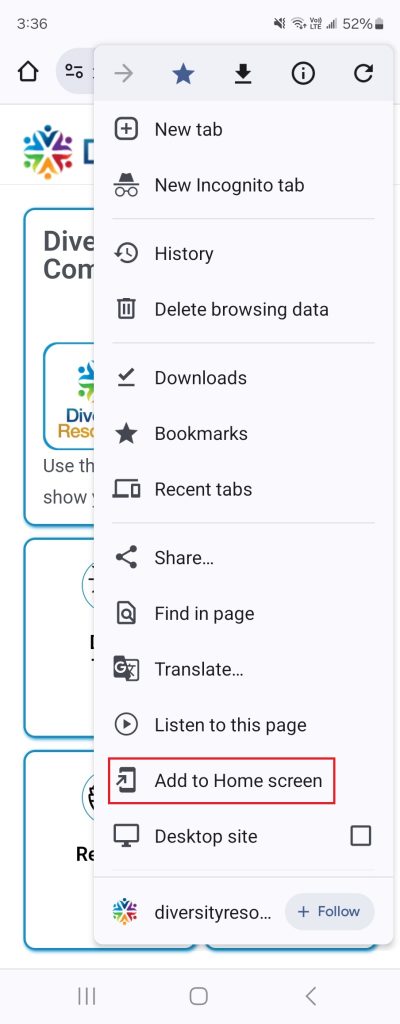
Add the Diversity Calendar to your mobile home screen in a few seconds:
For Chrome:
- Open Chrome
- Paste Diversity Calendar URL and press Enter
- Tap menu button (three dots)
- Tap “Add to Home screen”
- Name shortcut, then tap “Add”
For Safari:
- Open Safari
- Paste Diversity Calendar URL and press Go
- Tap Share button (square with arrow pointing up)
- Tap “Add to Home Screen” (Swipe left if you don’t see it)
- Name shortcut then tap “Add”
Your shortcut is now added to your home screen!